
Lightspeed Vend Integration for StockWise
Sync StockWise inventory with Lightspeed Vend POS in real time. Manage stock across physical stores, online channels, and warehouses from one platform. Setup in minutes.
- Real-time Sync
- Multi-store Support
- Customer Sync
- Included — No Extra Cost
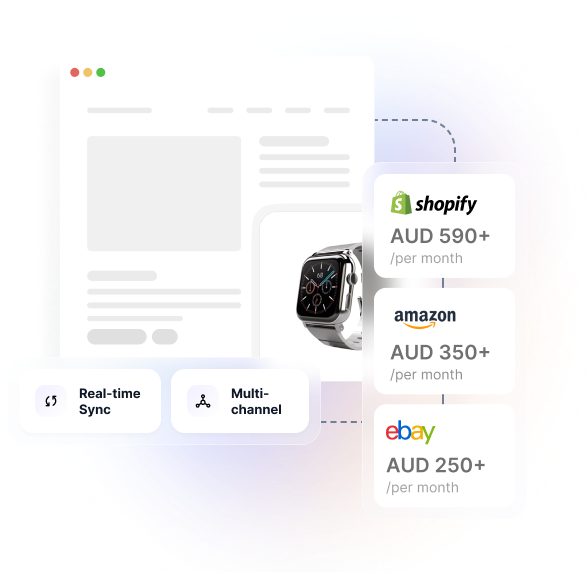
New to Hykmah? StockWise manages inventory across retail POS, online stores, and warehouses. Connect Vend alongside Shopify, Catch, and Amazon for complete omnichannel stock visibility. Plans from $50/month AUD.
How to Connect StockWise with Vend
In Hykmah: Settings → Integrations → POS → Connect Vend
Authorise via OAuth2 — log in with your Lightspeed (Vend) account
Map each Vend outlet to a StockWise warehouse location
Products linked by SKU automatically — review unmapped items
Enable integration and test with a stock adjustment to confirm real-time sync
How Retailers Use StockWise + Vend
Real scenarios from omnichannel retailers managing Vend POS alongside online channels with StockWise.
In-store and Online from One System Vend POS and Shopify stock staying in sync automatically
Challenge: Retailer using Vend for in-store sales and Shopify for online. Stock sold in-store wasn't immediately reflected online — customers were purchasing items in-store that were already showing as available on Shopify, causing overselling and disappointed online customers.
Solution: StockWise connects Vend and Shopify as a unified inventory system. A sale in Vend deducts from StockWise immediately, which pushes updated availability to Shopify within 30 seconds. No manual stock adjustments required.
Multi-Store Stock Visibility Real-time stock visibility across multiple Vend outlets
Challenge: Retailer operating five Vend outlets across different suburbs. No central view of stock across locations — store managers called head office to check if another location had a particular item, wasting time on both ends.
Solution: StockWise maps each Vend outlet to a warehouse location. Real-time stock levels visible across all outlets from one StockWise dashboard. Stock transfers between locations managed from Hykmah with full audit trail.
Unified Customer Purchase History Single customer view across in-store and online channels
Challenge: Customers buying both in-store via Vend and online via Shopify appearing as separate records in each system. Marketing team unable to see full customer purchase history or lifetime value across channels.
Solution: Customers who buy in-store via Vend and online via Shopify are unified in StockWise. Full purchase history, lifetime value, and order data consolidated across all channels for a single customer view.
Why Vend Retailers Choose StockWise
Vend handles your in-store operations beautifully. StockWise connects Vend to your other channels — Shopify, Amazon, eBay — and adds the multi-warehouse, purchasing, and accounting infrastructure that growing retailers need.
Vend + Shopify + Marketplace in One Inventory System
StockWise connects Vend alongside Shopify, Amazon, eBay, and Catch simultaneously. Stock changes in any channel — in-store sale, online order, marketplace sale — update all other channels within 30 seconds. One inventory system for every channel.
Multi-Store Stock Transfers and Reporting
Map each Vend outlet to a StockWise warehouse. Per-outlet stock levels, inter-store transfers, and slow mover reports by location all managed from StockWise. Reorder alerts trigger per outlet based on configurable minimum stock thresholds.
Purchase Orders and Supplier Management
Vend has no purchase order management. StockWise adds full purchase order workflows, supplier management, goods receive tracking, and reorder alerts — all feeding Vend and online channel stock levels automatically.
Xero and MYOB Accounting Included
Vend has native Xero integration, but StockWise includes Xero and MYOB sync at no extra cost — covering all channels, not just Vend sales. Every sale from every channel reconciles in your accounting system automatically.
StockWise includes Vend integration at $50/month AUD — no per-outlet fees, no separate accounting connector.
What Syncs Between StockWise and Vend
Complete bi-directional data flow between StockWise and Lightspeed Vend.
Inventory Levels
Bi-directional Real-time stock updates between StockWise and Vend. Sales in Vend deduct from StockWise immediately. Stock adjustments in StockWise push to Vend outlet quantities.
Sales Transactions
Vend → Hykmah Vend sales import to StockWise for unified sales reporting across all channels. Revenue, product, and customer data consolidated in Hykmah.
Customer Records
Bi-directional Vend customer profiles sync to StockWise. Customers who shop in-store and online unified in a single StockWise customer record with full cross-channel purchase history.
Product Catalogue
Hykmah → Vend Products created in StockWise push to Vend automatically. Prices, descriptions, SKUs, and images maintained in StockWise as the master catalogue.
Stock Adjustments
Bi-directional Stock adjustments in either system sync to the other. Stocktake adjustments in Vend reflect in StockWise. Warehouse adjustments in StockWise update Vend outlet quantities.
Outlet Locations
Mapped on setup Each Vend outlet mapped to a StockWise warehouse location during setup. Per-outlet stock tracking and inter-outlet transfers managed from StockWise.
How the Integration Works
Sale Processed in Vend
Staff process a sale in Vend POS in-store. Vend sends a webhook event to StockWise immediately after the transaction.
StockWise Updates Instantly
StockWise receives the Vend sale event, deducts stock from the relevant outlet/warehouse, and pushes updated availability to all connected channels — Shopify, Amazon, eBay — within 30 seconds.
All Channels Reflect Accurate Stock
Online channels show accurate availability based on remaining stock across all locations. Customers can't purchase items already sold in-store. Reorder alerts trigger automatically when outlet stock falls below threshold.
Technical Architecture
-
Authentication — Vend OAuth2 — authorise via Lightspeed login, no credential sharing
-
Sync method — Vend webhook events for real-time sales and stock adjustments
-
Product matching — SKU-based automatic matching; manual mapping for mismatches
-
Multi-outlet — each Vend outlet maps to a StockWise warehouse location
-
Self-healing — automatic retry on webhook failures, no data loss
Sync Frequency
- Real-time: Sales and stock adjustment events via Vend webhooks (<30 seconds)
- Every 15 min: Product catalogue and customer reconciliation
- Manual: On-demand full stock sync available anytime
Security & Compliance
- OAuth2 authentication — no Vend credentials stored in Hykmah
- Encryption in transit: TLS 1.3
- Encryption at rest: AES-256
- SOC 2 Type II compliant
- Privacy Act 1988 (AU) compliant
System Requirements
- Active Lightspeed Vend account (any plan)
- Hykmah Professional plan or higher
- Admin access to both systems
Connect Vend to Hykmah in Under 5 Minutes
Step-by-step integration setup for Lightspeed Vend
Connect via OAuth2
In Hykmah, navigate to Settings → Integrations → POS and click "Connect Vend". You will be redirected to Lightspeed for OAuth2 authorisation.
- Log in with your Lightspeed (Vend) account
- Review and approve Hykmah read/write access to your Vend store data
- Confirm successful connection in Hykmah
Map Outlets to Warehouses
Map each Vend outlet to the corresponding StockWise warehouse location:
- Each outlet requires a matching StockWise warehouse
- Products linked by SKU automatically — review unmatched items
- Configure stock buffer levels per outlet if required
Configure Sync Settings
- Set order import trigger (completed sales recommended)
- Configure customer deduplication rules (match by email)
- Enable product catalogue sync direction (StockWise → Vend recommended)
- Set reorder alert thresholds per outlet
Enable and Go Live
Enable the integration. Perform a test stock adjustment in StockWise and verify Vend updates within 30 seconds. Process a test Vend sale and verify StockWise stock deducts correctly.
Vend Integration Included in Hykmah Plans
No per-integration fees. No per-outlet fees. No surprise charges.
Integration Cost: $0/month — included with any plan.
Lightspeed Vend account required. Vend pricing from $99 USD/month.
Frequently Asked Questions
In Hykmah, navigate to Settings → Integrations → POS → Connect Vend. Authorise via OAuth2 using your Lightspeed account. Map Vend outlets to StockWise warehouses and products will link automatically by SKU. Setup takes approximately 5 minutes.
Yes. Each Vend outlet maps to a separate StockWise warehouse. Professional tier supports up to 3 warehouse locations, Premium supports up to 8. All outlets visible in a single StockWise inventory dashboard.
Yes. StockWise connects Vend, Shopify, Amazon, eBay, and Catch simultaneously. A sale in any channel updates stock across all others within 30 seconds. One inventory system for every sales channel.
Yes. Vend sends a webhook to StockWise immediately when a sale is processed. StockWise updates the outlet inventory and pushes to connected channels within 30 seconds. No batch processing or overnight sync.
Products are matched by SKU automatically. Products without a matching SKU in StockWise are flagged for manual mapping at Integrations → Vend → Product Mapping. New products created in StockWise after initial sync push to Vend automatically.
No. The Vend integration is included in Hykmah Professional ($50/month AUD), Premium ($350/month) and Enterprise at no additional cost. No per-outlet fees.
Common Issues & Solutions
Stock levels not updating after Vend sale
Webhook not delivered, product SKU mismatch between Vend and StockWise, or OAuth token expired.
Fix: Check integration status at Settings → Integrations → Vend. Verify the product has a matching SKU in both Vend and StockWise. Re-authorise the Vend connection if the OAuth token has expired.
Products showing as unmatched after initial sync
Products in Vend have no matching SKU in StockWise, or SKU formats differ between systems.
Fix: Navigate to Integrations → Vend → Product Mapping to manually match unmatched products. Standardise SKUs in both systems to prevent future mismatches.
Vend sales not importing to StockWise
Order import filter set to wrong sale status, or webhook subscription interrupted.
Fix: Check order import settings at Settings → Integrations → Vend → Order Import. Verify the sale status trigger is set correctly (completed sales recommended). Check Hykmah sync logs for webhook delivery errors.
Incorrect stock totals showing across outlets
Vend outlet mapped to wrong StockWise warehouse, or initial sync run before StockWise stocktake was complete.
Fix: Verify each Vend outlet is mapped to the correct StockWise warehouse at Settings → Integrations → Vend → Outlet Mapping. Complete a StockWise stocktake and trigger a manual resync.
Complement Vend with These Integrations
Connect multiple sales channels and back-office systems for complete operations automation.
Mailchimp
Email marketing for retail customer campaigns using StockWise customer data.

Ready to Connect Vend POS to StockWise?
Unify your in-store and online inventory in one platform. Vend + StockWise setup takes under 5 minutes — real-time sync across all outlets and channels from day one.
Real-time — sync across all Vend outlets
Australian support — Mon–Fri 9am–5pm AEST
$50/month AUD — Vend integration included, no per-outlet fees
5-minute setup — connect via Vend OAuth2
No lock-in contracts — Cancel anytime


